HETZNER · EXISTING MAILBOXES
Connect your Hetzner support mailbox.
Keep your mailbox with Hetzner and connect it to your project workspace.
Local preview: collection, replies and support tickets are available. Screenshots show earlier connection screens with an example domain; the current wizard also offers POP3.
1. Check the existing mailbox
In Hetzner konsoleH, confirm that the mailbox exists and that you can sign in with its full email address and mailbox password. Use the mailbox itself; connecting aliases as separate accounts is not supported yet.
For Hetzner Web Hosting, the documented incoming server is mail.your-server.de. Choose TLS on port 993, or required STARTTLS on port 143. If your particular hosting product provides different settings, use those verified provider settings.
2. Create the project and confirm your domain
Open your workspace, choose Add project and enter its domain. Copy the displayed TXT record name and value to your DNS provider, then choose Check TXT record. Use your own project’s value; the example in this screenshot will not verify your domain.
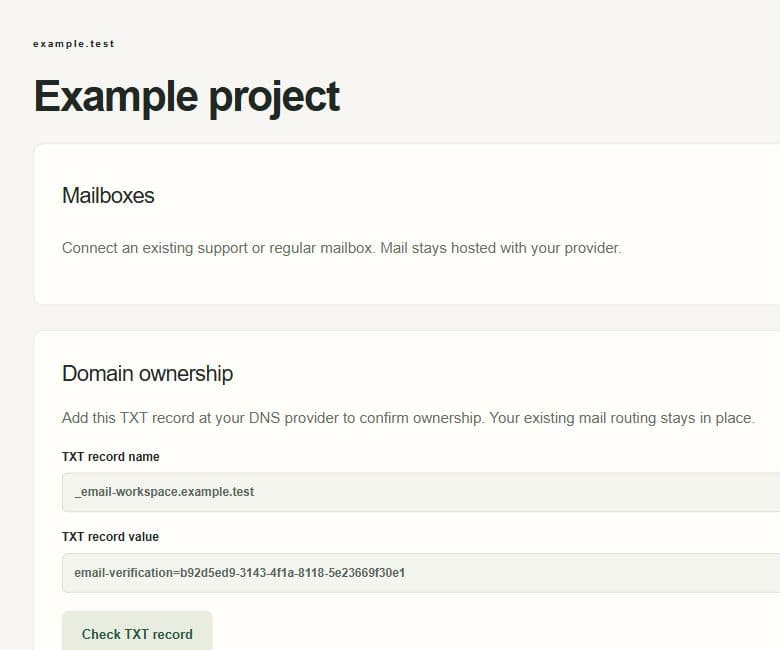
Only add the verification TXT record. Existing MX records continue to direct incoming mail to your current provider.
3. Choose the mailbox address
Select Connect mailbox, enter an address such as support@your-domain.com and choose Support or Mail. The address must match the project domain and will also be used as the IMAP username.
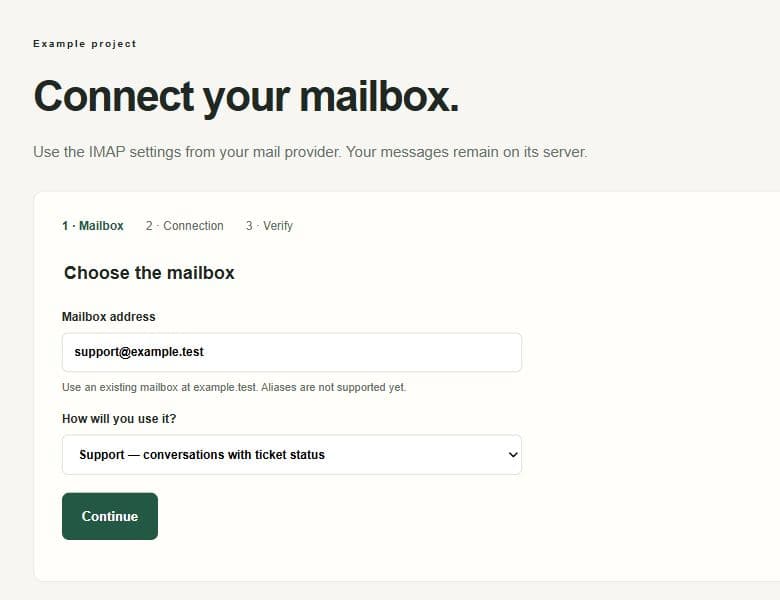
4. Save and verify the IMAP connection
Enter the server, select TLS 993 or STARTTLS 143 and provide the mailbox password. Choose the initial history preference and save. Your password is encrypted and is not returned to the browser. Once the domain is confirmed, choose Verify IMAP connection.
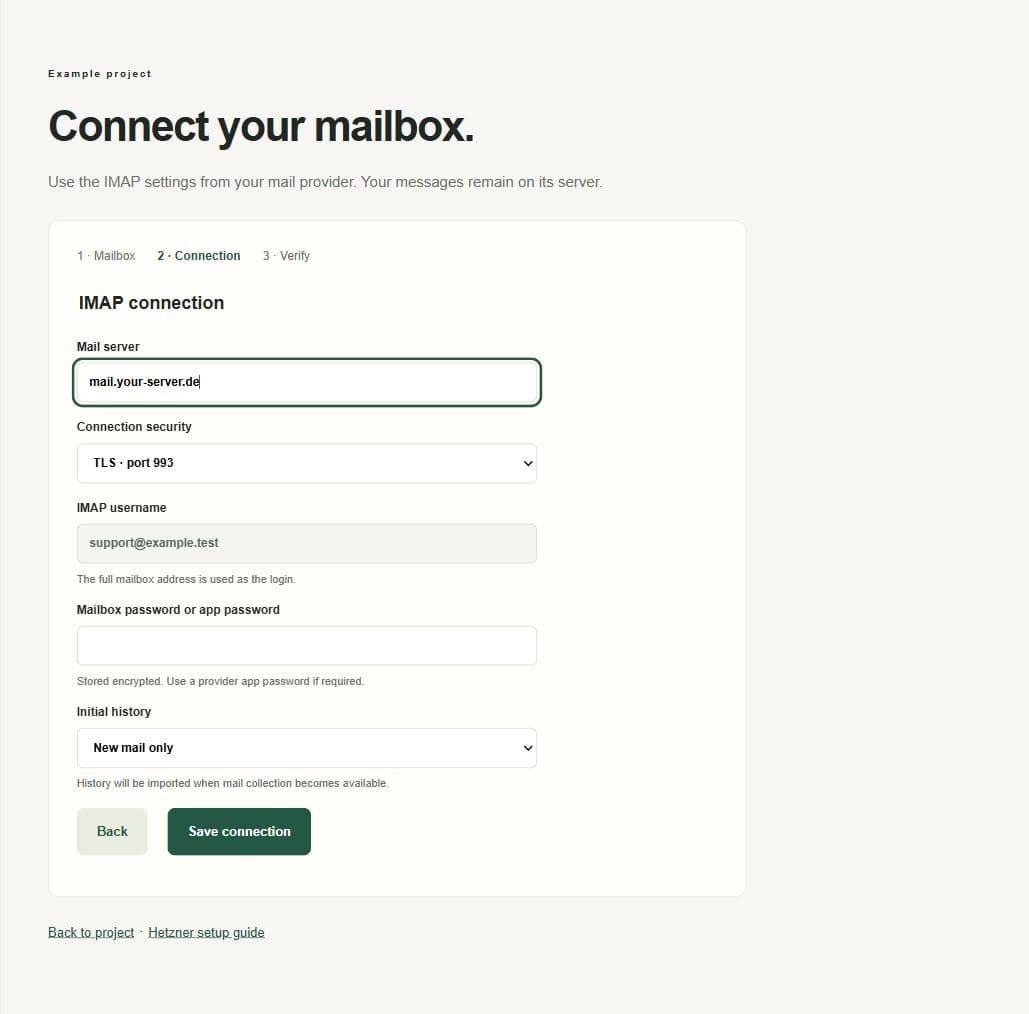
Verification signs in and disconnects. It does not download, move or delete messages. A successful result enables collection while the local server or worker is running.
If the check fails
Login rejected: check the full mailbox address and password. TLS error: check the server name and security mode. DNS error: check the hostname. Private/local addresses are intentionally blocked. Wait 30 seconds before repeating a connection check.
If you change the saved settings, verify again. Leave the replacement password blank to retain the existing one. Pause a connection whenever you want to prevent it from being used.
Provider settings checked 26 November 2026. The screenshots use synthetic local data; no Hetzner mailbox was contacted to create this guide.