All your project addresses
Connect mailboxes from different domains and providers. Work from one inbox, or filter down to the address you need. Your mailbox hosting stays with your provider.
HQBART MAIL Closed beta
Every project needs an email address. Keeping up with all of them should be simple. Bring your existing mailboxes into one web client and give support conversations a clear next step.
Already in the beta? Use your existing account or Google sign-in.
THE INBOX
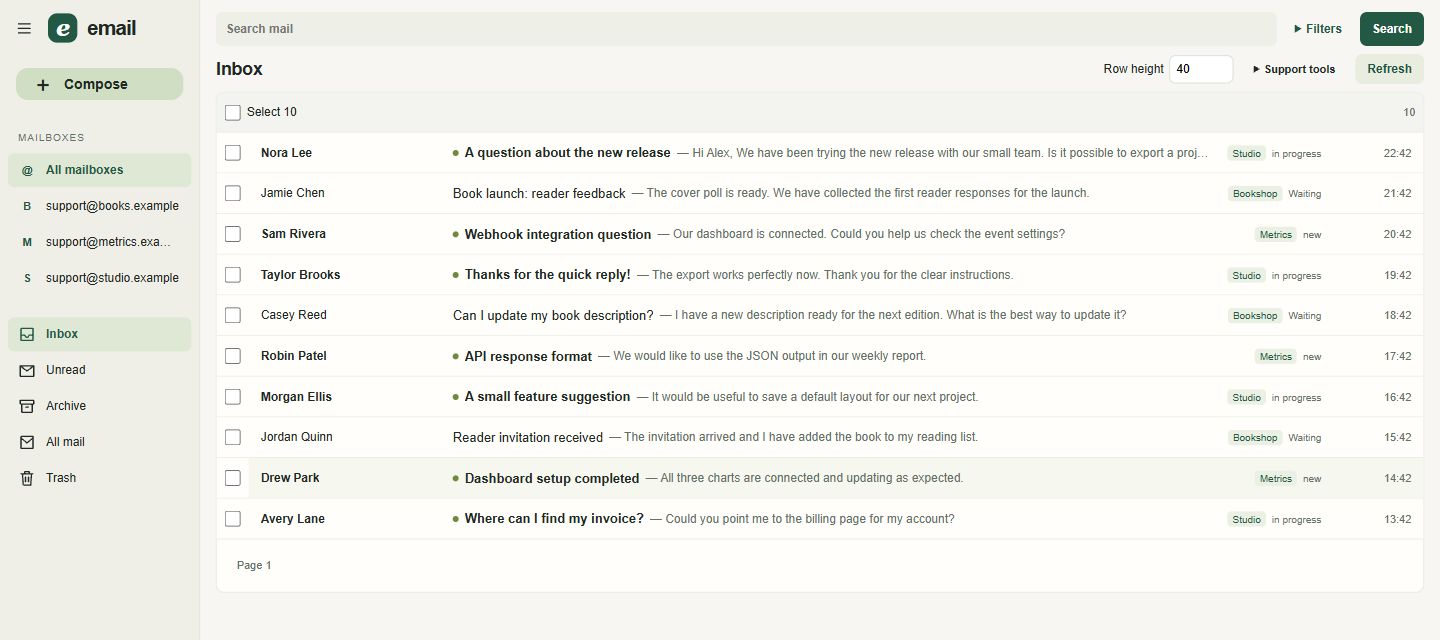
Keep your mailboxes and folders close at hand. Scan compact rows, find unread mail and switch between all addresses or one project.
WHAT YOU CAN DO
Connect mailboxes from different domains and providers. Work from one inbox, or filter down to the address you need. Your mailbox hosting stays with your provider.
Collect incoming mail through IMAP or POP3. Configure SMTP or a Resend API key separately for each sending setup. Reply from the correct connected address.
Read conversations, write new messages, reply with attachments and keep drafts. Search mail, filter unread conversations, archive and work with Trash.
Use support mailboxes as a lightweight helpdesk: ticket status, priority, assignment, tags, internal notes and shared reply templates.
Select a page of conversations or all matching results for bulk actions. Mark mail read or unread, archive it or move it to Trash. Adjust row height to fit your screen.
Read plain-text and formatted messages, move between conversations and keep the mailbox navigation in place. Remote images and active message content are blocked by default.
THE CONVERSATION
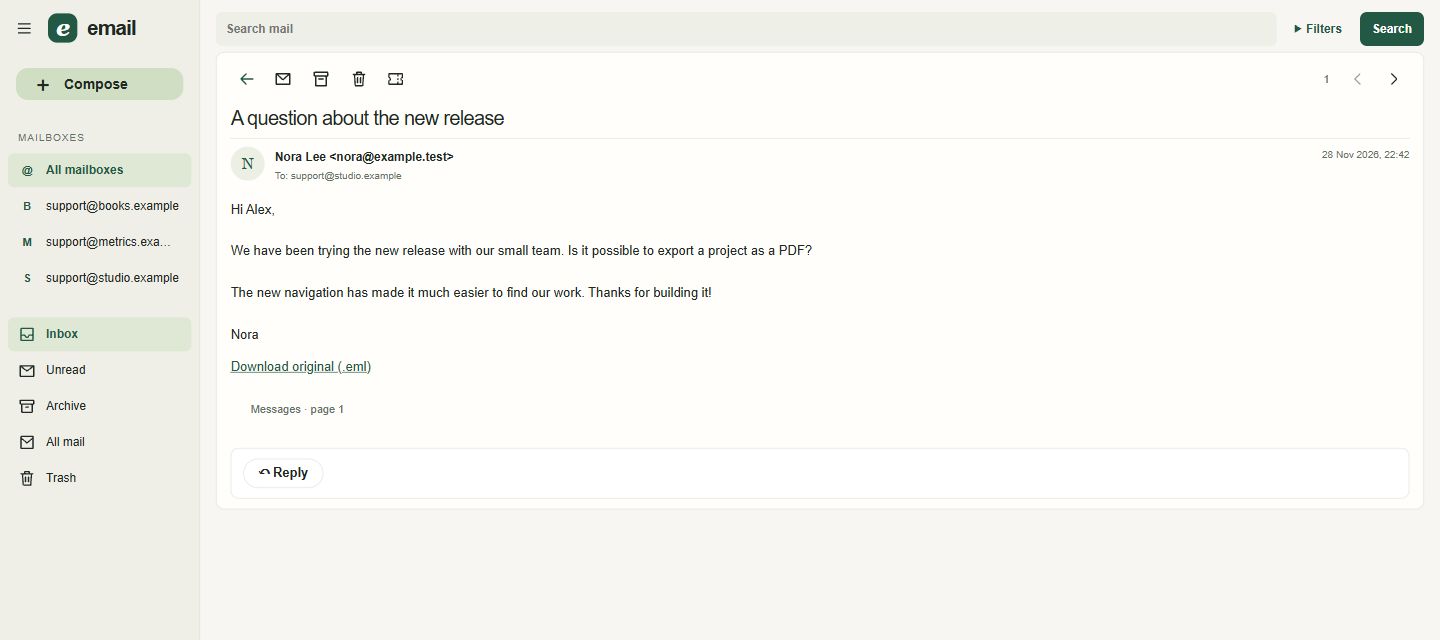
Open a conversation in the full reading area. Mail actions stay at the top, the mailbox navigation stays on the left, and Reply sits below the message.
CONNECT YOUR MAIL
Confirm domain ownership and enter the mailbox connection settings from your existing host.
Set up SMTP or Resend and complete the sending provider’s domain verification.
Verify that incoming mail arrives and replies leave from the expected address. Then connect your other project mailboxes.
BEFORE YOU CONNECT
Your existing provider continues to host the mailbox and receive mail for your domain. HQBart Mail connects to it as a web mail client. You still need access to the mailbox and a configured sending provider.
Yes. Connect the support or other mail addresses behind your projects, then view them together or separately. You can choose the connected sender when composing a new message.
Configure an SMTP server or a Resend API key. Receiving and sending settings are independent. Your sending service must authorize the domain, including any SPF and DKIM records it requires.
For connected IMAP mailboxes, Trash and permanent deletion also affect the source mailbox at the provider. Permanent deletion is irreversible. POP3 does not provide IMAP-style folder synchronization.
It is a way to work with your existing domain mailboxes in a separate web client. It does not import your Gmail account, labels or Google Drive files. The mail guides explain alternatives to Gmail’s external POP collection.
HQBart Mail is in a closed beta. Existing beta users can sign in. New account access is currently limited by invitation or an approved email address; a public self-service launch and pricing are not announced here.
Moving away from Gmail’s external mail collection? Explore the mail collection guide →
HQBART MAIL
Closed beta for independent builders and small teams.