A range of puzzle formats
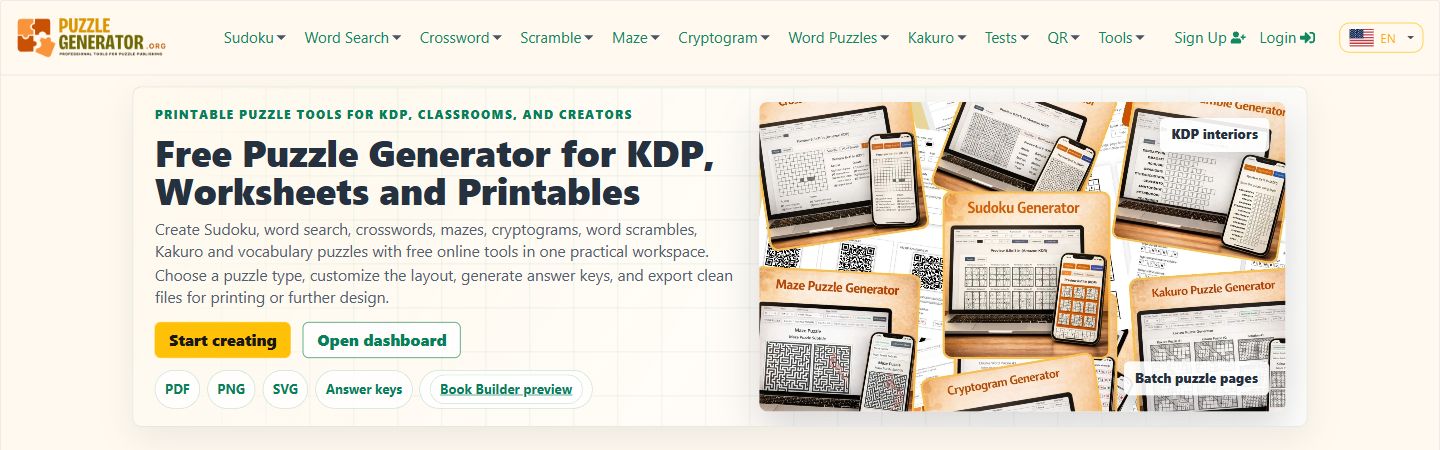
Work with Sudoku, word search, crosswords, cryptograms, mazes and vocabulary activities. Build variety into a worksheet packet or a themed collection.
PUZZLEGENERATOR HQBart project
Make a classroom activity or start your next puzzle-book interior. Choose a puzzle format, adjust its layout and keep the answers alongside the pages you create.
For independent publishers, teachers and printable creators.
MEET THE PROJECT
Explore the available generators and choose a starting point for your next activity sheet or book.
WHAT YOU CAN DO
Work with Sudoku, word search, crosswords, cryptograms, mazes and vocabulary activities. Build variety into a worksheet packet or a themed collection.
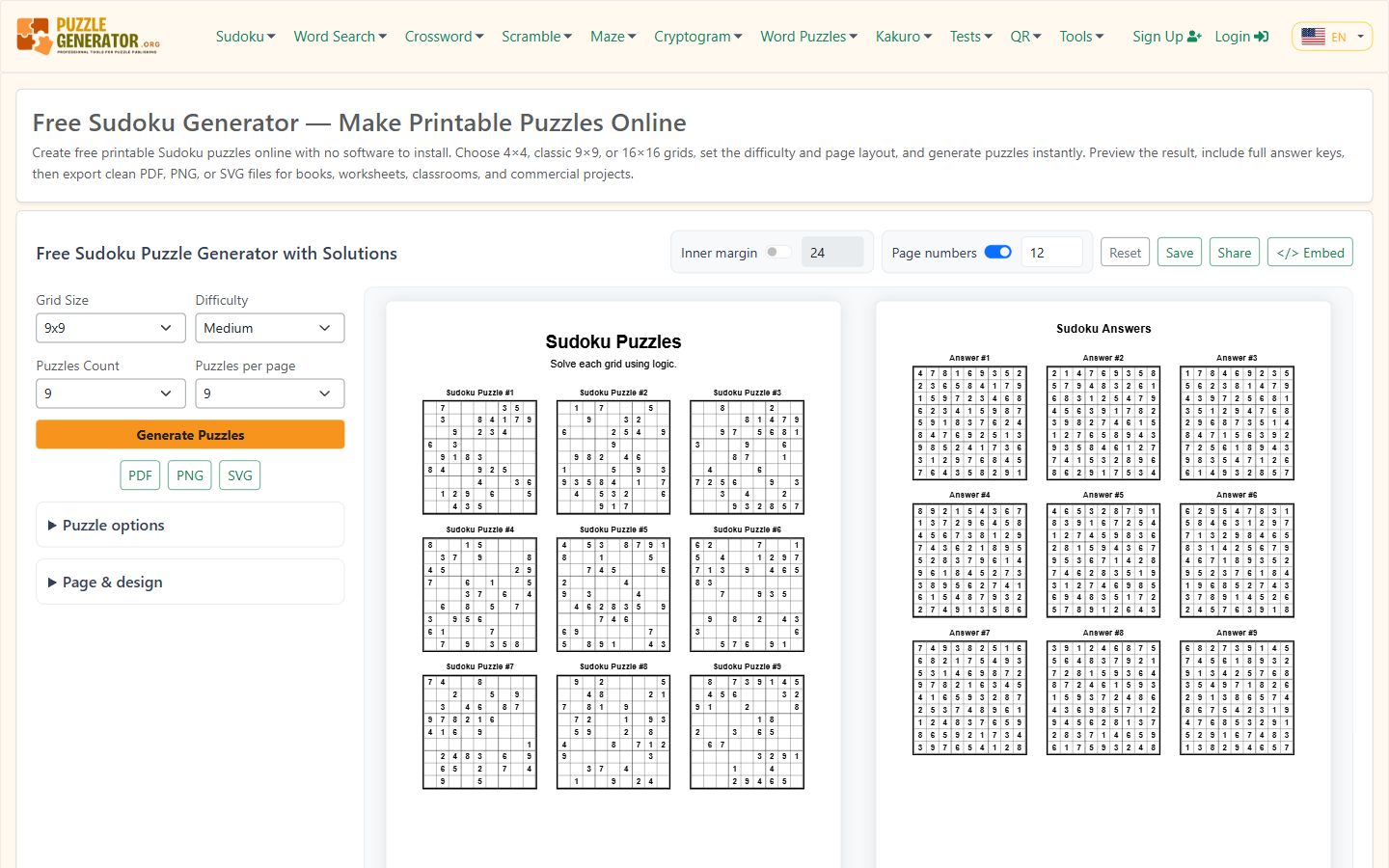
Set the grid size, difficulty, puzzle count and page density. Preview puzzle and answer pages together before choosing an export format.
Adjust the page format, labels, numbering and fonts in the relevant generator. Check spacing on a small sample before creating a larger set.
Keep solutions in the same production workflow. Answer pages make it easier to prepare classroom materials and organize the back of a puzzle book.
Use PDF for printable pages, or PNG and SVG where available for further design. Pick the format offered by the generator you are using.
Combine repeatable layouts and puzzle types for larger projects. Book Builder is an evolving part of the platform; check its current tools before planning a full production workflow.
A CLOSER LOOK
The Sudoku tool puts grid controls beside puzzle and answer previews, so you can inspect the layout before export.
Choose a generator suited to the activity you want to make.
Adjust its settings and review both puzzle and solution layouts.
Download the available format and check the result in your printing or publishing workflow.
USEFUL TO KNOW
Teachers preparing activities, creators making printable packs and publishers building puzzle-book interiors. Each generator has its own controls and outputs.
Yes. The public Sudoku generator exposes difficulty, grid size, puzzle count and page-layout controls, with puzzle and answer previews.
Test a small puzzle set first. Review the exported pages, then explore the current Book Builder workflow for organizing a larger project.
PUZZLEGENERATOR
Part of the HQBart collection. Explore the current product on its own website.