Structured reader feedback
Organize feedback around a book and its intended audience. Keep reader responses in context when deciding what to improve before the next release.
VIRTALIBRY HQBart project
Bring books, reader activity and publishing decisions into a more organized workflow. Collect feedback, compare presentation ideas and give each launch a clearer plan.
For independent authors and publishers preparing books for readers.
MEET THE PROJECT
The public project introduction brings feedback, book presentation and launch planning together.

WHAT YOU CAN DO
Organize feedback around a book and its intended audience. Keep reader responses in context when deciding what to improve before the next release.
Use polls and surveys to compare presentation options. Reader preferences can help you choose which direction deserves a closer look.
Introduce available books through the public ARC library, then manage the relevant reader workflow inside the platform.
Track book details, activity stages, deadlines and follow-up needs. Check the requirements of an activity before publishing it or joining it.
Explore AI-assisted title, description, keyword and category drafts. Treat suggestions as material to review against the actual book and publishing context.
Use the BSR calculator for scenarios and the KDP guides for supporting research. Estimates help explore assumptions; they are not a record of your private book sales.
A CLOSER LOOK
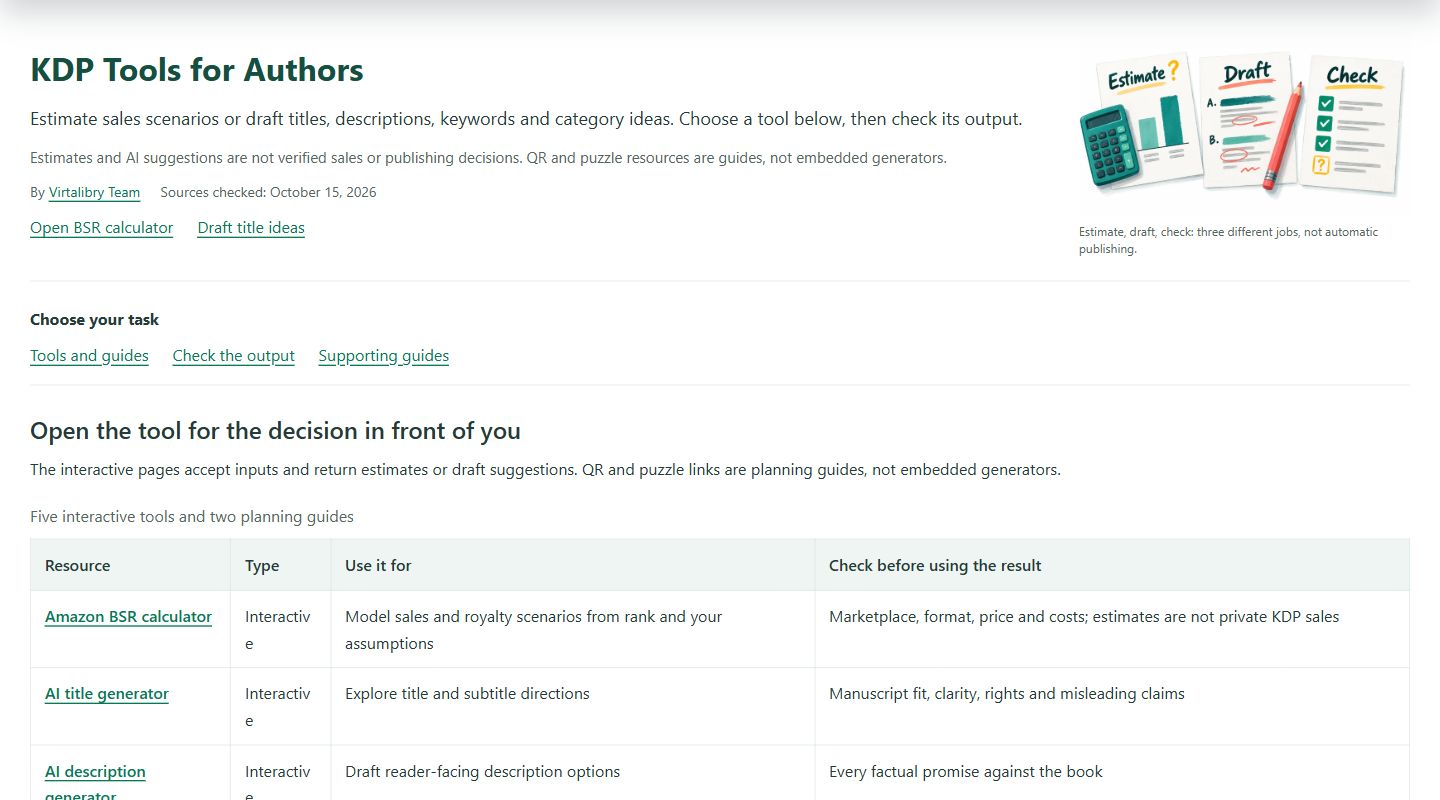
The public author-tools directory separates calculators, AI drafting tools and supporting guides.
Create an account on VirtaLibry and review the available author workflow.
Add accurate book details, choose a feedback or research task and check its terms.
Follow activity status and use the resulting feedback or drafts to inform your publishing decisions.
USEFUL TO KNOW
The platform covers early presentation research, reader activity and follow-up. Choose the part that matches the decision you need to make now.
The tools directory includes scenario estimates and AI-assisted drafts for book metadata. Review those outputs before applying them to a real listing.
Participation, verified completion, retailer approval and sales are separate outcomes. Check the current workflow and activity requirements on VirtaLibry.
VIRTALIBRY
Part of the HQBart collection. Explore the current product on its own website.